AI app builders
Tools that turn a description into a working web or mobile app, and the platforms companies use to build internal tools with AI
Updated Oct 2026
Twenty seven AI app builders in two groups. Build an app is for founders, makers, designers and product teams; Internal tools is for business operations, portals and apps on company data. Each entry explains how the product works, where the app and its backend run, what code you can take with you and how far it carries a phone app toward the stores, with previews, plan limits and separate usage charges named where they matter. Facts and published prices were checked against the linked sources on 15 October 2026. Each group is alphabetical, not ranked.
Twenty seven builders in two groups, alphabetical within each, not ranked.
Choosing an app builder
Three questions separate these tools more than the quality of the first draft does. Where do the app and its data live, and can you move them? Can you take the code with you? And if you want a phone app, how far does the builder carry you toward the App Store and Google Play? Store submission never guarantees approval, and a generated app still needs testing before anyone relies on it.
Compare at a glance
Facts and published prices checked on 15 October 2026. "A month" means billed monthly unless marked billed yearly; most builders also have a free tier, and usage, hosting or model charges can come on top. Backend and hosting is where the app's services run, not every place AI processing happens, and exported code can still depend on the builder's services. Sources and qualifications are in each entry.
| Product | Builds | Backend and hosting | Code out | App stores | Entry plan |
|---|---|---|---|---|---|
| a0.dev | iPhone and Android (Expo) | Convex or Supabase | On Pro | iOS upload to App Store Connect; Android APK | $20 a month |
| Adalo | iPhone, Android and web | Adalo | Not yet (announced) | Builds and signs; you submit | $36 a month, billed yearly |
| Anything | Web and mobile (Expo) | Anything | Pro and Max | App Store flow; Play internal testing in beta | $24 a month, or $19 billed yearly |
| Base44 | Web; mobile in a web view | Base44; local development possible | GitHub from Builder; hosted services stay | Store files you upload | Starter $16 a month, billed yearly |
| Bolt | Web and mobile (Expo) | Bolt Database or Supabase; Bolt hosting | Download or GitHub | You run the EAS builds and submit | $25 a month |
| Bubble | Web and native mobile | Bubble | No | Publishes from the editor with your accounts | Web $29, web and mobile $59 a month, billed yearly |
| Builder Code | New and existing web apps | Your stack or Supabase | Pull requests to your repository | None documented | $24 per user a month |
| Dreamflow | Flutter for iPhone, Android and web | Your Firebase or Supabase | Download on Hobby; Git on Pro | iOS upload; Play after a manual first upload | $20 a month |
| Dyad | Web; mobile experimental | Your Neon or Supabase; your host | Local files | Capacitor builds with your own tools | Free; Pro $20 a month |
| Emergent | Web and mobile (Expo) | Managed MongoDB, or your Atlas on Pro | GitHub | iOS to TestFlight; Android bundle you upload | $20 a month, or $17 billed yearly |
| Figma Make | Web apps and prototypes | Figma's backend (rolling out) or your Supabase | Zip on Full or Dev seats; repository workflows in beta | None | Included in a Figma Full seat |
| Floot | Web; mobile in a wrapper | Floot | Zip or folder sync on paid plans; services need replacing | TestFlight; Play testing on paid plans | $25 a month, hosting metered |
| Google AI Studio | Web and native Android | Firebase; Cloud Run | GitHub, zip or Antigravity | Play testing | Free; usage charges may apply |
| Leap | Backends and web apps | Your AWS or Google Cloud in production; separate preview | GitHub; Docker | None | $30 a month, plus cloud costs |
| Lovable | Web | Lovable Cloud or your Supabase; your cloud in preview | GitHub, GitLab, Bitbucket | None | $25 a month or $250 a year |
| Macaly | Web | Macaly, EU | Download from Starter; GitHub on Pro | None documented | $10 a month |
| Replit | Web and mobile (Expo) | Replit database and hosting | Git | iOS upload to App Store Connect; no Play publishing | $20 a month, or $18 billed yearly |
| Rocket.new | Next.js web, Flutter mobile | Your Supabase; Rocket web hosting | Download or GitHub on paid plans | iOS needs a Mac with Xcode; Android APK | $25 a month |
| Rork | SwiftUI iPhone, Kotlin Android, web | Rork Cloud (beta) or your backend | GitHub sync on paid plans | iOS upload; Play internal testing | $20 a month; Free designs only |
| v0 | Web | Vercel and Marketplace data services | GitHub and pull requests | None | Plus $30 per user a month |
| Workshop | Web; Expo on Desktop | Your databases; Workshop Cloud or your host | Full download | None documented | $20 a month |
| Apps in Amazon Quick | Business web apps | Quick storage, datasets and connectors | No | None | In Quick plans; uses the agent allowance |
| Glide | Business web apps (GlideOS) | Neon data, Cloudflare runtime | Code view on Enterprise; no export documented | None documented | $25 a month |
| Microsoft Power Apps | Business web apps; AI builder in preview | Dataverse, SharePoint, connectors | Git for code apps, not Power Platform's own Git | None | Premium $20 per user a month, billed yearly |
| Retool | React web apps; separate mobile product | Retool Cloud, your network or on premises | Editable code; Git in Enterprise beta | Through its separate mobile product | Free up to five users |
| Softr | Portals and internal tools | Softr or your own sources | No | Installable web app on some plans | $19 a month, billed yearly |
| Superblocks | Internal web apps | Its cloud; your cloud on Enterprise | Git on Enterprise | None | $125 a month, or $100 billed yearly |
Build an app
For founders, makers, designers and product teams: describe an app and get one you can publish.
 a0.dev
Set up a subscription in a0.dev and the agent does the plumbing: it edits a payment configuration, syncs the products to Stripe for the web and creates the in app purchases in App Store Connect, using your own payment and developer accounts. Android payments aren't supported yet.
Apps are React Native on Expo, with Convex or Supabase behind them. Generate & Submit builds the iOS app in the cloud and uploads it to App Store Connect; you test in TestFlight, finish the listing and submit for Apple's review yourself. Android comes out as an APK for testing on a device. Pro is $20 a month, with code export.
 Adalo
Adalo
On Adalo you can still drag a screen around after the AI has built it. Ada, its AI builder, works alongside the canvas: describe an app, then keep chatting or change the screens yourself. The plan table lists Ada as a beta, Free included.
Adalo hosts the database and builds native iOS and Android apps as well as web apps, and its publishing service handles the builds and signing. You supply the developer accounts; the iOS build lands in TestFlight and you finish the store submission. Starter is $36 a month billed yearly for one published app, with no usage or token charges from Adalo, though your developer accounts and connected services can cost money.
You can't take the code with you today. Adalo's October announcement promises code export for a new Adalo, says plainly that it hasn't shipped, and names no date or plans.
 Anything
Anything is built for a consumer app that charges its users. One project holds a web app and an Expo mobile app on a shared backend, with Stripe for web payments and RevenueCat for subscriptions on the phone. The App Store flow checks for common submission problems, sends the build to TestFlight and submits from the editor with your Apple Developer account. Google Play publishing is in beta and uploads a draft to internal testing.
On Max, a testing agent opens the app in a browser, logs in, checks out and works on the problems it finds.
There's no free building: a paid plan is required. Pro is $24 a month, or $19 billed yearly, and the pricing comparison includes code export on Pro and Max. Apple removed Anything's own iPhone builder app in spring 2026, TechCrunch reported; that concerned the builder app, and doesn't amount to a ban on apps made in the web editor.
 Base44
Describe an app in Base44 and it arrives with a database, user accounts, storage, functions and hosting already attached. Wix owns it, and in its second quarter results credited Base 1, its own model for building software, with lowering inference costs; the margin it expects is a forecast, not a result.
The code can leave. Two way GitHub sync starts on Builder, at $40 a month billed yearly (Starter is $16), and developers can run a local backend for functions, temporary data, uploads and password login. Some services still forward to the hosted app, including social login and email or AI integrations, so running it in production elsewhere means replacing what it uses.
Phone apps are the published web app inside a web view: Base44 produces the store files on eligible plans, and you upload them and handle review.
 Bolt
Bolt
Open Bolt and the code, the running preview, the database and the hosting all sit in one browser tab. Its built in database supplies email or Google sign in, file storage and server functions, or you can pick Supabase when starting a project on Pro or Teams. Bolt hosting publishes the web app with no separate server account, and integrations connect GitHub, Figma and Stripe.
Say mobile in the first prompt and Bolt builds an Expo project you can preview on your phone. Shipping it is your job: download the code, set up Expo's EAS tools, run the build and use your own Apple and Google developer accounts. That is more work than a builder that uploads to the stores for you.
Pro starts at $25 a month billed monthly, with token based allowances. Code leaves by download or GitHub, and on Pro and Teams you can claim an existing Bolt Database in Supabase. Swapping its connection for a different database is a separate action that can lose the data already there.
 Bubble
When Bubble's AI gets a workflow wrong, you fix it on a canvas, not in code. Pages, data, workflows and API connections all appear in Bubble's visual editor, so someone who doesn't program can inspect what the agent made and change it by hand. Agent 2 is available to all users and runs Bubble's issue checker while it builds.
The agent also builds and edits mobile app logic and data, on the same backend as the web app. The mobile apps are native, on React Native, and the editor publishes them to Apple and Google with your developer accounts.
Budget for two meters: AI credits for building and workload units for running the app. Web Starter is $29 a month billed yearly as checked on 15 October, and Bubble has announced $32 on annual billing from 20 October; mobile and combined plans are priced separately. The lasting trade is no code export: your data can leave, but leaving Bubble means rebuilding the app's logic.
 Builder Code
Builder Code gives designers and product managers a way into the codebase their engineers already use. Connect a repository and design system, prompt the agent or edit the running interface visually, and send a pull request for engineers to review; the team sets how commits are made. It also starts new apps from scratch.
For data it uses the app's existing backend or connects to Supabase, reading the schema and writing server routes against real data; it has no database of its own. Builder.io renamed Fusion to Builder Code in September 2026. Pro is $24 per user a month.
 Dreamflow
In Dreamflow you can prompt a screen, rearrange its widgets on a canvas, then edit the Dart by hand, all on one Flutter project where the code stays the source of truth. Data and sign in come from your own Firebase or Supabase. iOS builds go to App Store Connect for you to finish and submit; Google Play needs a manual first upload, after which Dreamflow can deploy to the track you pick. Hobby is $20 a month, with code export and web, iOS and Android deployment; Git starts on Pro. It comes from the FlutterFlow team.
 Dyad
Dyad
Dyad runs on your own Mac, Windows or Linux machine, with the project files on your disk and the model of your choice: a provider's account, or a local model that works offline. Cloud models and connected services, such as Supabase or Neon for data, still get the requests they need. The core is Apache 2.0, with the Pro features under a fair source licence. The builder is free but model APIs aren't; Pro, at $20 a month, sells credits and extra modes. Mobile is experimental, through Capacitor, with builds finished in Android Studio or Xcode or a remote build service.
 Emergent
Emergent keeps the preview and the live app apart. The first publish copies the initial data across; after that, preview changes don't overwrite the live database, and you republish code deliberately to update the running app. Its agents write and test the code and publish it on a managed MongoDB backend.
Its mobile pipeline goes past handing you an Expo project. Emergent runs the builds through its own EAS setup, manages signing and uploads the iOS build to TestFlight, and you submit it for Apple's review. Android comes out as an AAB you upload to Play Console yourself. Those builds need a paid plan.
Standard is $20 a month, or $17 billed yearly. Code can go to GitHub, and Pro can move a published app's database to your own MongoDB Atlas. You can host in a US or EU region, though that doesn't relocate every service that processes your data.
 Figma Make
Figma Make starts from the frames and design library a product team already has, and builds an interactive app in the same workspace. In its first quarter investor remarks, Figma described Lufthansa's Lido team testing a charting prototype against its own API before writing production code, and said about 60% of customers spending over $100,000 a year used Make weekly.
It is becoming an app builder too. On 15 October Figma announced a Payload backend, rolling out across plans: a database, file storage, sign in and an admin panel on Figma's hosting, in the eastern United States for now. Your own Supabase remains an option. Full or Dev seats can download the code, and editing needs a Full seat on a paid plan; repository and local workflows are in beta and not yet available for Payload apps. Make builds web apps and prototypes, and comes with a Figma Full seat.
 Floot
Floot
With Floot, the AI assistant you already pay for does the building. Connect its MCP server to Claude, ChatGPT, Cursor or another client, and the assistant creates files, provisions the database, reads errors and publishes, while Floot provides Postgres, sign in, storage, email and hosting and counts each tool call as a build action. Pro is $25 a month for 1,000 build actions a day and a $10 hosting allowance; more hosting and AI inside your app cost extra. It wraps the web app for phones and uploads to TestFlight and Play internal testing with your accounts; public release is still your submission. Paid plans download a zip, with no Git sync, and Floot's services don't travel with it.
 Google AI Studio
Google AI Studio's Build mode writes a web app and its server code, then offers to set up Firebase for data and sign in once you approve. It drafts the security rules too, and Google tells you to check them before sharing or deploying. Web projects download, sync with GitHub or move to Antigravity for local work, and deploy to Cloud Run.
A separate native Android route writes Kotlin with Jetpack Compose, runs it in a browser emulator, installs it on a device and publishes for Play Store testing. There's no iOS equivalent in this workflow.
AI Studio is free to use, with limits, and paid models and deployed cloud resources can cost money; Firebase has a free tier, which doesn't make a live app free to run. As Firebase Studio winds down, with access ending on 22 March 2027, Google is sending its users here or to Antigravity.
 Leap
Leap
Leap is for apps whose hard part is behind the screen: APIs, databases, sign in, queues and business logic. It generates Encore.ts applications and shows each change as a diff, with live architecture diagrams and API docs. Production can run in your own AWS or Google Cloud account: you grant a role and Encore sets up hosting, Postgres and networking, billed to your cloud account, while previews run separately. Or package it as Docker containers and deploy elsewhere. Pro starts at $30 a month for 100 credits, cloud costs on top. It expects someone who can review the architecture and run a cloud account.
 Lovable
Ask Lovable for a web app and the backend comes in the same conversation: Lovable Cloud adds the database, sign in, storage and server functions alongside the interface. Lovable's own account of Nursa shows where that can lead: it says the staffing company rolled it out to more than 200 employees and was replacing ten SaaS systems with tools its teams built.
Projects run on Lovable Cloud or your own Supabase, and code syncs to GitHub, GitLab or Bitbucket. The backend is harder to move: going from Lovable Cloud to your own Supabase is manual, which means exporting the data and rebuilding the schema in a new project.
Larger companies now get more choice. Hosting in the customer's own AWS or Azure account is a private preview for selected Enterprise customers, and Microsoft's managed runtime is a separate public preview; the editor and agent stay Lovable services, and features vary during the previews. Pro is $25 a month or $250 a year. It builds web software; Lovable's phone app is a way to build, not native mobile output.
 Macaly
Macaly comes with the database, sign in and hosting, and lets you build with its own agent or from Claude or ChatGPT through Macaly Cloud, where your assistant writes the app and Macaly supplies a React or Next.js stack, managed Postgres and deployment, in Frankfurt and Ireland by its account. Starter is $10 a month for one app on your own domain, with code download; Pro, at $25, adds GitHub and unlimited published apps. Some skills and database or API use still consume credits. Hosting group team.blue bought Macaly in December 2025 and kept it as its own product. There's no app store route.
 Replit
Replit lets you check the agent's plan before it touches code or data. In Plan mode you review the proposed work; the agent then builds, tests and saves checkpoints. Web and mobile apps can share one project and backend, with a managed SQL database for persistent data.
The iOS step is concrete. The Launch wizard builds, signs and uploads the Expo app to App Store Connect with your Apple Developer account, compiling on Expo's servers. The build is private at that point: you choose TestFlight testing or finish the listing and submit for review. Android apps can be built and previewed, but Replit doesn't currently publish to Google Play.
Core is $20 a month, or $18 billed yearly. Pro adds parallel agents, more collaboration and database rollback; the included allowances cover different kinds of work, and extra usage is charged. Code can be kept through Git.

 Rocket.new
Rocket.new puts deciding what to build next to building it. Solve researches an idea and recommends, Build makes the app, and Intelligence follows competitors and brings their changes into a dashboard; a research result can feed a build, or each part works alone.
Web apps are Next.js and phone apps are Flutter for iOS and Android. The FAQ documents a Supabase data path and code export on paid plans, by download or GitHub, with two way sync for Next.js projects. Pro starts at $25 a month, with credits shared across the work.
Rocket writes the iOS app but doesn't build and upload it for you: Apple's route needs a Mac with Xcode, where you archive the exported Flutter project and submit through Apple's tools. Android has an APK download.
 Rork
Rork
Rork writes a separate native app for each phone, SwiftUI for iPhone and Kotlin with Compose for Android, and its agent keeps the two in step. New Expo projects are no longer supported, though existing ones still work.
You don't need a Mac: Rork builds iOS on its own machines and uploads through your Apple Developer account, and you finish the listing and review submission in App Store Connect. Its Android pipeline signs the bundle and can send it to Play internal testing once your Google account connection is verified, or you download it and upload it yourself.
For shared data, Rork Cloud is a managed Postgres backend, free during its beta and movable one way to your own Supabase. Paid plans sync two ways with GitHub. Pro is $20 a month; Free only designs, and Max adds other Apple devices, games and widgets. Cloud builds and simulator sessions can use extra credits.
 v0
v0
v0 lets a designer or product manager propose a working change through the team's normal review. It can import an existing repository, use the Vercel project's configuration, give a chat its own branch and open a pull request that deploys on merge, instead of leaving a prototype for engineers to rebuild.
Its app building API, generally available, does the same without the chat window: a service sends a prompt, v0 creates and runs the project in Vercel Sandbox and returns a preview URL, and follow up messages keep editing that app. That suits teams putting app generation inside their own product.
Data comes through Neon, Supabase, Upstash and other integrations, provisioned from Vercel Marketplace. GitHub sync is included on Free, and Plus is $30 per user a month with included credits, extra usage charged separately. It builds web software; the v0 iPhone app is a way to use the builder, not a mobile output.
 Workshop
Workshop's Arena Mode builds four versions of your app from one description; pick the best and carry on in Agent Mode, no favourite coding model needed. Workshop Cloud builds and hosts web apps, dashboards and internal tools in the browser, and Desktop works on local files, with local models offline and an Expo mobile workflow (no store publishing). Web projects get a Python FastAPI backend that connects to databases and warehouses, and both halves download to host elsewhere. Build is $20 a month; the free plan keeps cloud storage for ten days.
Internal tools
For companies: apps for staff, and sometimes customers or partners, built on company data with access and administration you configure.
 Apps in Amazon Quick
Apps in Amazon Quick builds tools on the data and permissions a company already keeps in Quick. Describe an app, refine the preview and publish it; it can use connectors, Quick datasets, AI and its own shared or private storage. AWS made it generally available on 1 September 2026.
Authors approve each added integration, and signed in viewers reach connected data only through their own permissions, so publishing an app doesn't open every dataset to its viewers. The organisation still has to set up Quick and its connectors.
Free and Plus also allow public apps, which can use shared storage and AI but not connectors, private storage, live datasets or embedded visuals and chat. Code can't be exported, and it runs only in Northern Virginia, Oregon, Ireland and Sydney. Building uses the plan's agent allowance; Plus is $20 per user a month billed yearly. AWS still offers App Studio as a separate product.
 Glide
Glide
GlideOS starts from the spreadsheet a business already runs on. Its Sheet Sense scan looks at the formulas, macros, pivot tables and formatting, suggests a direction and asks you to confirm before going further. Glide rebuilt the product around an agent that writes full application code, run on Cloudflare with app data in Neon and identity from Descope, and the agent keeps working with the apps, data, integrations and workflows afterwards. GlideOS is a separate product and subscription from Glide Classic.
Basic is $25 a month for two published apps; public apps start on Plus. Enterprise now includes viewing the code and project files, though no standalone export is documented. The apps are mobile friendly web software, with no App Store or Google Play builds.
 Microsoft Power Apps
Power Apps' AI builder plans the app and its data model together in its vibe workspace, lets you inspect the generated code and connects to Dataverse or SharePoint data, with chat and inline visual edits to change it.
Microsoft calls it a preview, not meant for production, in English only and in the US, Australia, Asia and India regions, and the same guide recommends building apps in Copilot Cowork and Copilot Studio from now on. Its announcement puts Cowork access through the Frontier programme and a public preview rolling out in Studio. That concerns the app building experience; Power Apps itself stays on offer.
Developers can take the code apps route, working in their own editor with Git and deploying through Power Platform, though Power Platform's own Git integration doesn't support code apps. End users need a qualifying licence or billing arrangement: Premium is $20 per user a month, paid yearly, and Azure B2B lets authenticated outside users in.
 Retool
Retool takes in apps people started somewhere else. Import a React project and its agent maps each data call to a resource the organisation has already configured, turning it into a Retool backend function; unmatched connections fall back to mock data and need checking before the app is useful. Import is meant for supported web apps: Next.js is best effort, and mobile or custom sign in architectures have limits.
You can also build in Retool directly, in React and TypeScript, reading and editing the front end and backend functions while the platform enforces the access and deployment rules underneath. It runs on Retool Cloud, in a customer's own network or on premises, so a team can pull an employee's prototype into an environment it controls.
Free covers up to five users, and self hosting is offered across tiers. Source control for the new builder is an Enterprise public beta, and readable code with Git history doesn't, on the documentation checked, mean the app runs outside Retool. Retool's separate mobile product is not part of the new React builder or its import.
 Softr
Softr
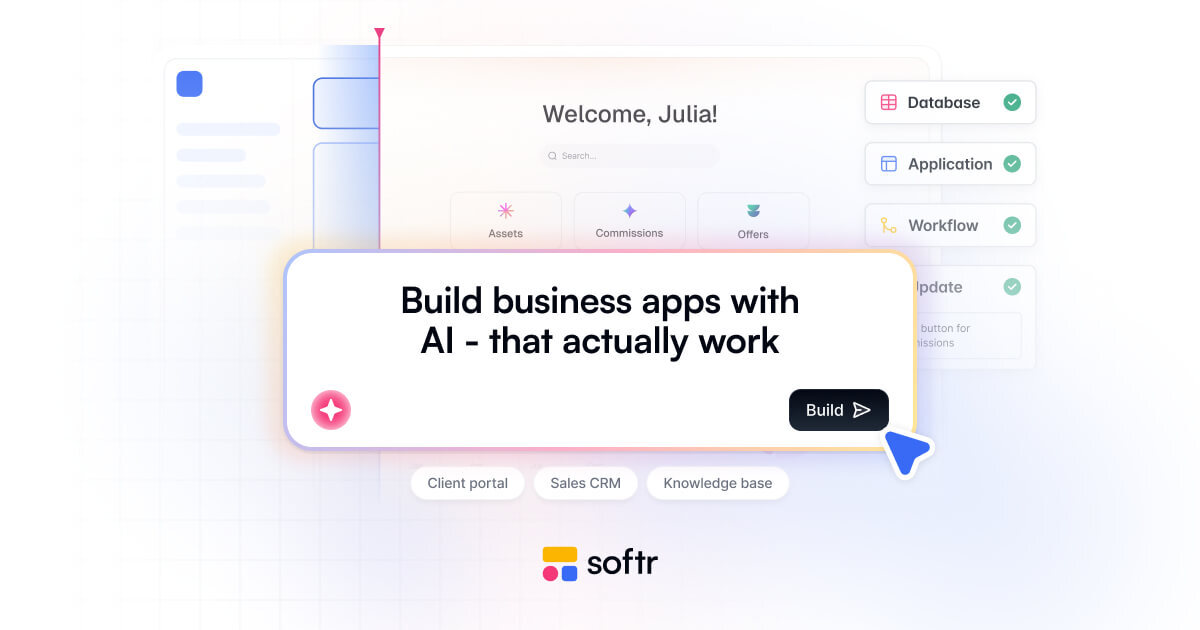
Softr leaves the operations team an editor it can keep using. Its AI Co-Builder creates the database, app and logic for a portal, CRM or internal tool; the team then changes pages, permissions and workflows visually, with custom components when needed, on Softr Databases or on Airtable, Google Sheets and SQL.
Portals are its home ground: staff and client users have separate allowances, permissions decide what each person sees, and higher plans add finer permissions, sign in and administration features. Those are settings to configure, not a guarantee that a generated portal is set up right for every client. Basic is $19 a month billed yearly. Free includes a small AI allowance and unlimited apps, but users, records and workflow actions are capped. Apps run on Softr with no full code export, and on eligible plans the phone version is an installable web app, not a store app.
 Superblocks
Superblocks sits between an AI built app and the company systems it calls. The platform enforces the configured authentication and access policies, handles secrets and audits calls through APIs and MCP connections. Business users build with its agent or bring an app made elsewhere, and IT controls what it can reach. Superblocks says Cvent has built more than 100 apps with AI on it.
Teams runs in Superblocks' cloud. Enterprise adds a hybrid model or Cloud-Prem, which runs the whole platform, inference included, in the customer's AWS, Google Cloud or Azure. The AWS collaboration describes Bedrock model routing and Aurora database provisioning, the latter still planned.
Teams is $125 a month, or $100 billed yearly, for one hosted app, with extra apps charged. Customers own the generated code; Git source control comes with Enterprise.

How this list is built
Who is in: AI app builders that generate a working web or mobile app from a description or from a project's own context, and give an integrated path to preview, edit and publish or export it. The app must keep data or connect to a backend; a static page is not enough.
- A product open to new users or new projects on 15 October 2026; a public preview qualifies with its limits stated
- Business tools and customer apps both count, from companies of any size, public, private or acquired
- One entry per product, under its current name
Left out:
- General coding assistants and terminal agents without a distinct app builder
- Static site generators, component generators and design mockups without a backend path
- Model training platforms, SDKs on their own, consultancies, and workflow agents without an app
- Retired products, products closed to new users, and invitation only announcements
How we checked: each product was researched from its own pages, documentation, pricing and, for public owners, investor reporting, plus independent coverage where it exists. Figures a company gives about itself are attributed to it. Order: two groups, alphabetical within each, not ranked. As of: 15 October 2026.